
Learn how to set your availability on a per-appointment basis so that leads and clients can only book certain appointment slots.
Updated on March 22, 2024
Setting your calendar availability #
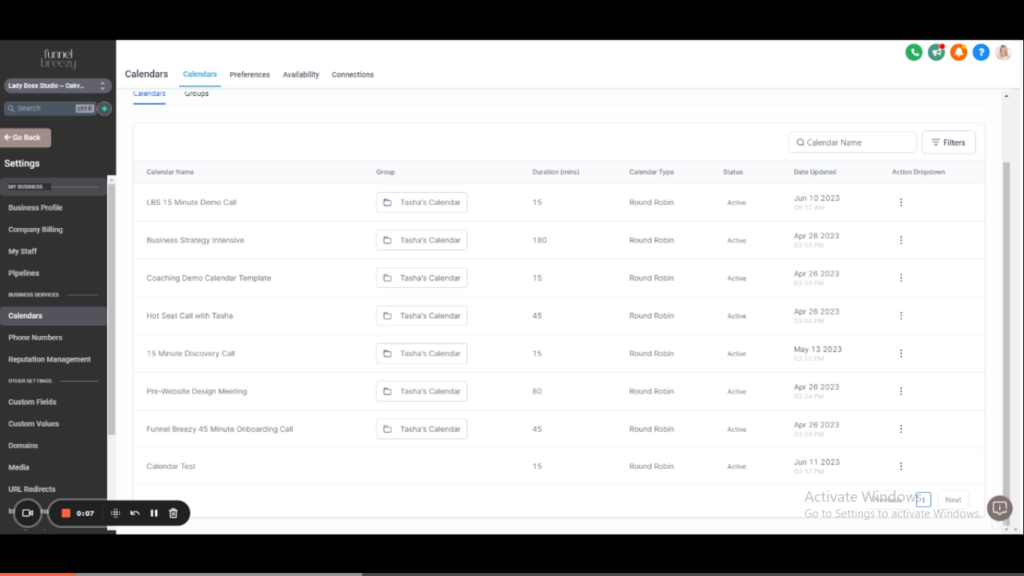
Setting your availability happens on each different appointment type you have in your business. That way you can better manage when clients can book specific time slots with you.
- Calendars
- Settings
- Edit an individual appointment type
How to Set Your Calendar Availability: A Step-by-Step Guide #
For Existing Appointments:
- Navigate to an existing appointment on your calendar.
- Click on the three dots next to the appointment.
- Select “Edit” from the menu.
- Scroll down and click on “Availability.”
- Here, you can set the specific availability for this particular appointment type.
- You can choose different availability for different appointment types. For example, you might only want to schedule discovery calls on Tuesdays.
For a New Calendar:
- If you’re creating a new calendar, make sure to watch the first video in the “Calendars and Scheduling” section for a complete walkthrough on creating a new calendar type (Round Robin is recommended).
- Once you’ve created the calendar, enter a name for it and select the team members you want to include.
- Click on “Advanced Settings.”
- Navigate down to “Availability.”
- Set the default availability for this new calendar type.


