
Funnel Dashboard Overview #
In this video, you’ll learn about all of settings and options you will find within the funnel dashboard inside of infinity interface.
How to Organize Your Funnels in GoHighLevel #
This guide will show you how to create folders and use templates in your GoHighLevel funnel dashboard.
Creating Folders:
- Click on “Funnels” in the GoHighLevel dashboard.
- Click “Create Folder” and name your folder.
- This creates a folder to organize your funnels.
Moving Funnels to Folders:
- Right-click on a funnel you want to move.
- Select “Move to folder” and choose the desired folder.
- Repeat for any other funnels you want to organize.
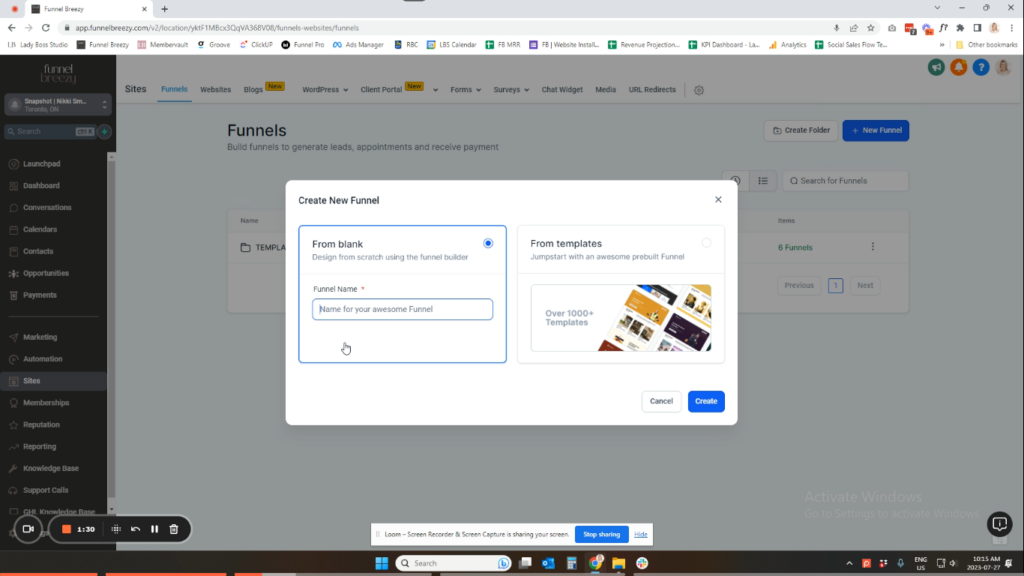
Using Templates:
- Click on “Funnels.”
- Click “New Funnel.”
- Choose “From Templates” (you can also choose “Blank Funnel”).
- GoHighLevel offers pre-made templates for various purposes (e.g., lead magnet funnels, sales pages, webinars).
- Note: Currently, these are not customizable template collections, but this functionality may be added in the future.
- Select the template that best fits your needs and click “Continue.”


