
Individual funnel settings overview. #
In this video, you’ll learn about all of the settings within an individual funnel and what to make sure is taken care of before your funnel can go live.
Step-by-Step Guide to Customizing Your Funnel #
This guide will walk you through customizing a funnel you’ve already created in infinity interface
1. Accessing Funnel Settings
- Locate the funnel you want to edit.
- Click on “Settings.”
2. Renaming Your Funnel
- Ensure the funnel name accurately reflects its purpose.
- Edit the “Name” field.
- The “Path” defines the ending part of the funnel’s URL.
- Rename the path to something relevant to your lead magnet (e.g., “double-your-email-list”).
3. Setting Up Subdomains (Optional)
- Subdomains allow you to have a unique URL for your funnel.
- If the software hasn’t created subdomains yet, it might be because you have an existing website.
- You have two options:
- Edit the funnel without a subdomain until you move your entire website.
- Purchase a separate domain (around $10-12) for the subdomain.
4. Adding a Favicon
- A favicon is the small icon displayed next to your URL in the browser tab.
- Click “Settings” again.
- Go to “Media Library” and upload your favicon image.
- Right-click on the uploaded image and copy the link.
- Paste the link into the “Favicon URL” field in settings.
- Click “Save.”
5. Managing Funnel Steps
- This section shows all the steps (pages) within your funnel.
- You can:
- Delete unnecessary pages (don’t do this on the original template).
- Reorder the pages by dragging and dropping them.
6. Cloning Funnel Steps (Optional)
- This feature allows you to copy existing pages within the same funnel or to other funnels.
- Click “Clone Funnel Step” to duplicate a page.
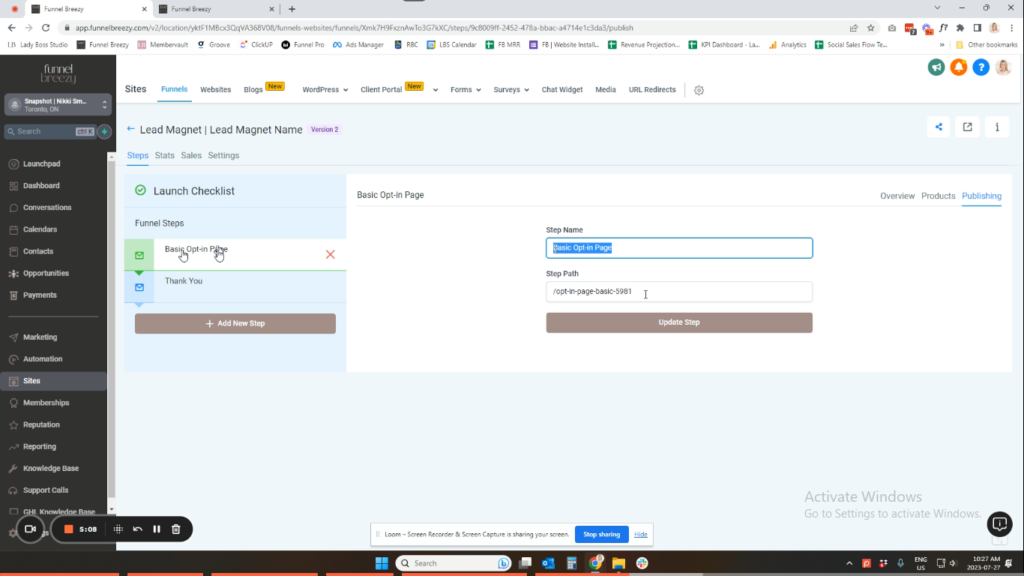
7. Customizing Step URLs
- Go to “Publishing” for each step (page) in your funnel.
- Edit the “Step Name” and “Step URL” to something relevant to that specific page (e.g., “lead-magnet-thank-you”).
8. Viewing Funnel Statistics (For Sales Funnels)
- This feature is only available for funnels with sales pages.
- Click “Stats” to see data like:
- Number of page views
- Unique visitors
- Opt-ins (for lead magnet funnels)
- Sales conversions


