
Where to find the funnels section inside of infinity interface. #
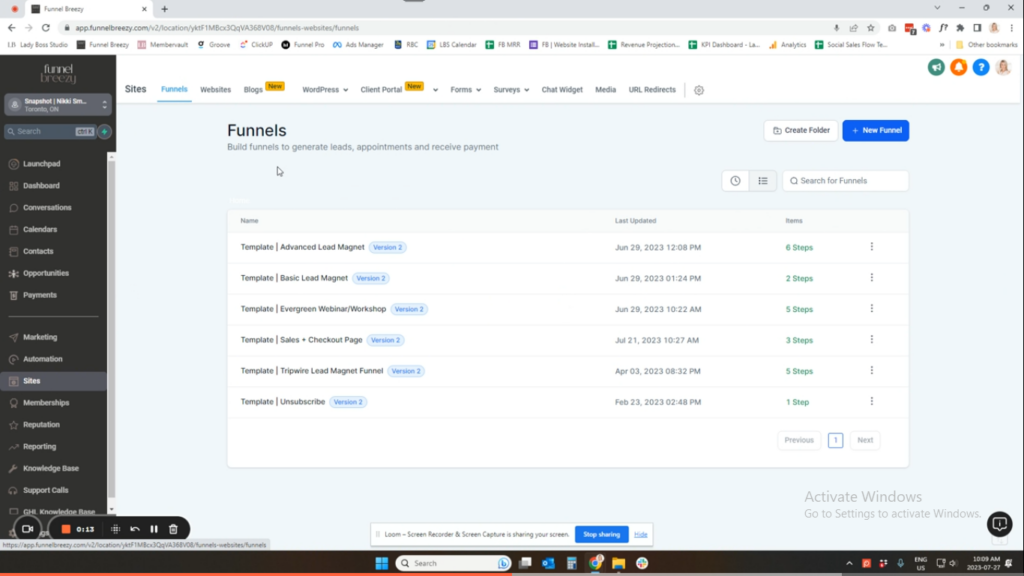
In this video, I’ll show you where to find the funnels section inside of infinity interface.
How to Find the Funnel Section in infinity interface #
This quick guide will show you how to locate the funnel section within your infinity interface dashboard.
Step 1:
- Log in to your infinity interface account.
Step 2:
- Once on your dashboard, locate the navigation bar on the left side of the screen.
Step 3:
- Look for the section labeled “Sites.” Click on it.
Step 4:
- By default, the first tab displayed will be the “Funnel Area.” This is where you can access and manage your funnels within infinity interface.


